Youth Soccer Game Day App: Clock, Subs & Event Tracking From Your Phone
Game day is the most hectic part of coaching youth soccer. You're managing the clock, tracking substitutions, logging goals and cards, and trying to give every player fair time — all while standing on a sideline in the sun. MatchdayIQ puts all of that into one phone screen so you can focus on coaching, not bookkeeping.
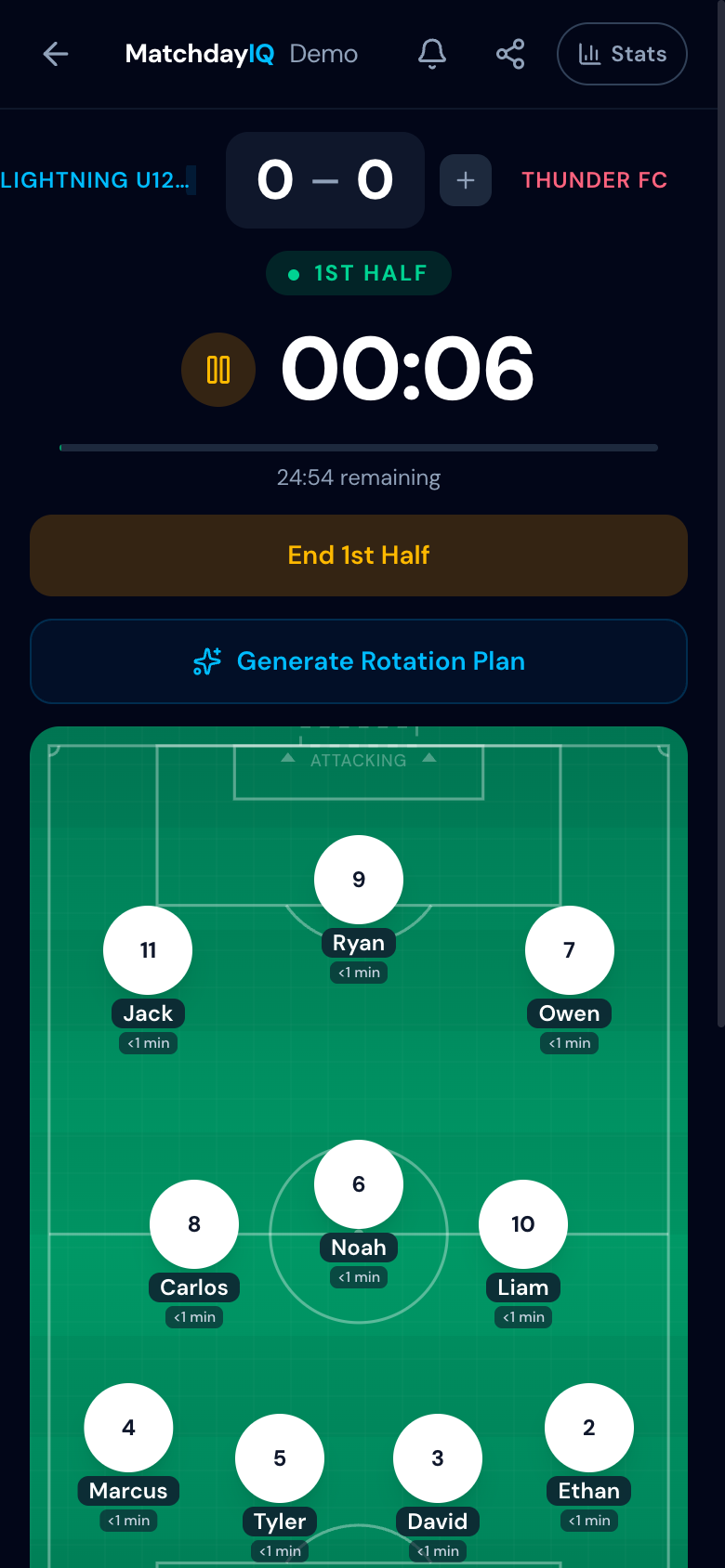
The Game Clock
The clock is the backbone of game day. MatchdayIQ's game clock runs front and center with a large, high-contrast display designed for outdoor visibility. Tap once to start, tap again to pause. The clock auto-saves every few seconds so you never lose time — even if your phone locks, the app backgrounds, or you accidentally navigate away.
- +Automatic overtime detection with a visual progress bar
- +Half management — the clock resets between halves automatically
- +Wall-clock anchored so time stays accurate even if the screen sleeps
Two-Tap Substitutions
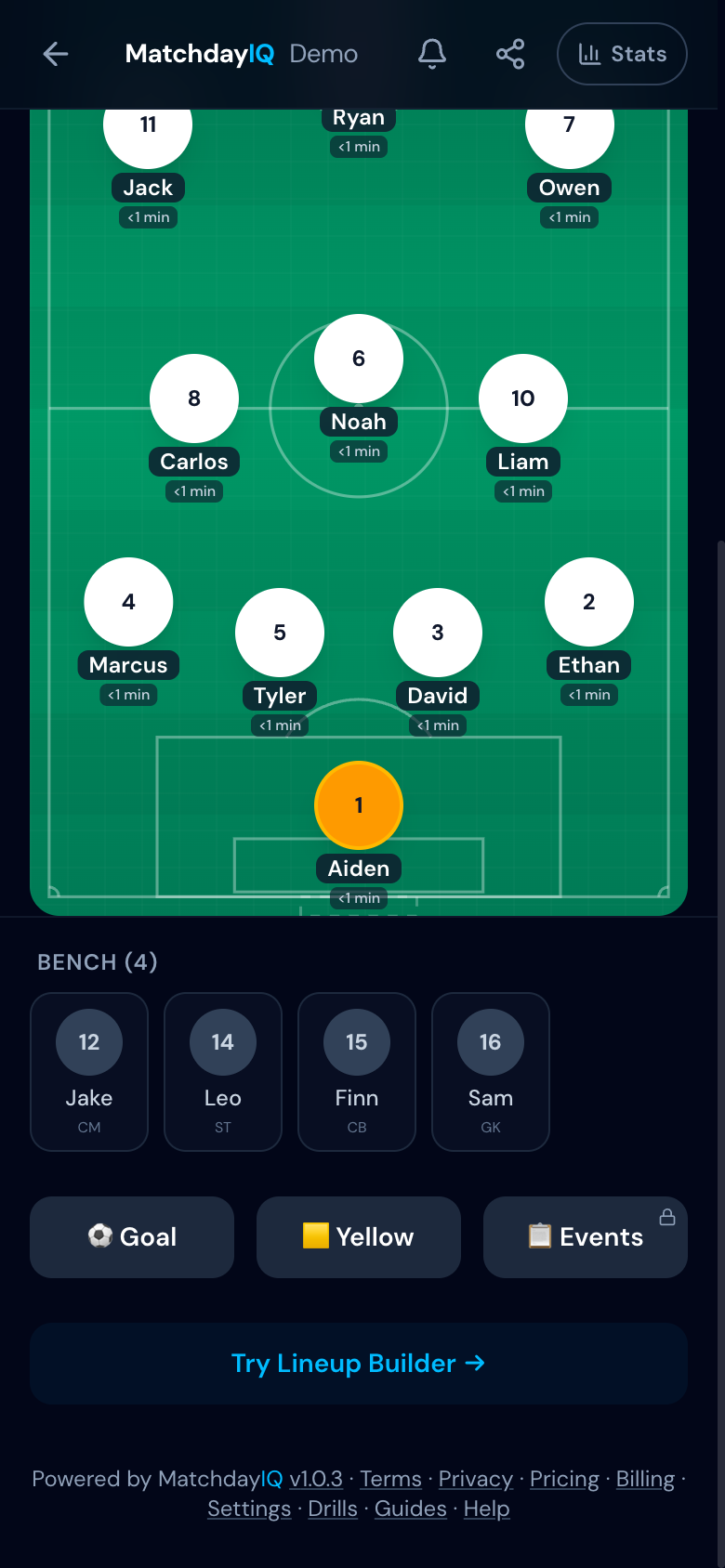
Making a substitution should be fast enough to do while watching the field. In MatchdayIQ, you tap the player coming off the field, then tap the player going in from the bench. That's it — two taps. The app records the exact second, updates the field view, and recalculates playing time automatically.
When you tap a player to sub out, the bench reorders to show the best positional fit first. Green dots mark players who can play the exact position, amber dots mark players in the same line (defense, midfield, or attack). You can still pick anyone — the indicators are hints, not restrictions.
Rotation Plans & Bench Alerts
Before the game, you can set up a rotation plan that maps out when each group of players subs in and out. The planner matches players to positions using their preferred and secondary positions — so a player who can play CB and LB will be matched to a defensive slot before a midfielder would. During the game, the bench panel shows how long each player has been waiting. When someone has been sitting too long, you'll see a visual alert so no one gets overlooked. This is especially valuable for ensuring equal playing time across your roster.
For younger age groups (U8–U12), turn on the "Rotate Positions" toggle. This development mode deliberately assigns players to positions they haven't played yet, so each wave puts them somewhere new. After the game, the post-game summary shows a position diversity score — how many of each player's eligible positions they experienced.
Event Logging
Goals, assists, yellow cards, red cards, shots, and saves — log them all with big icon buttons in a bottom sheet that slides up over the field view. Each event is timestamped to the exact second in the half. After the game, these events feed directly into your AI-powered post-game analysis.
Quick Sub Ratings
When a player comes off the field, a quick rating prompt appears — green, yellow, or red. One tap captures your in-the-moment assessment of their stint before you forget. Over a season, these ratings build up into a performance picture that no clipboard could replicate.
See game day management in action