MatchdayIQ Pricing & Family Groups: Plans for Coaches and Parents
MatchdayIQ lets coaches try every core feature free for their first 3 games, and parents can unlock premium features with an affordable subscription. Here's how the plans work and how family groups let you share a subscription with grandparents and co-parents.
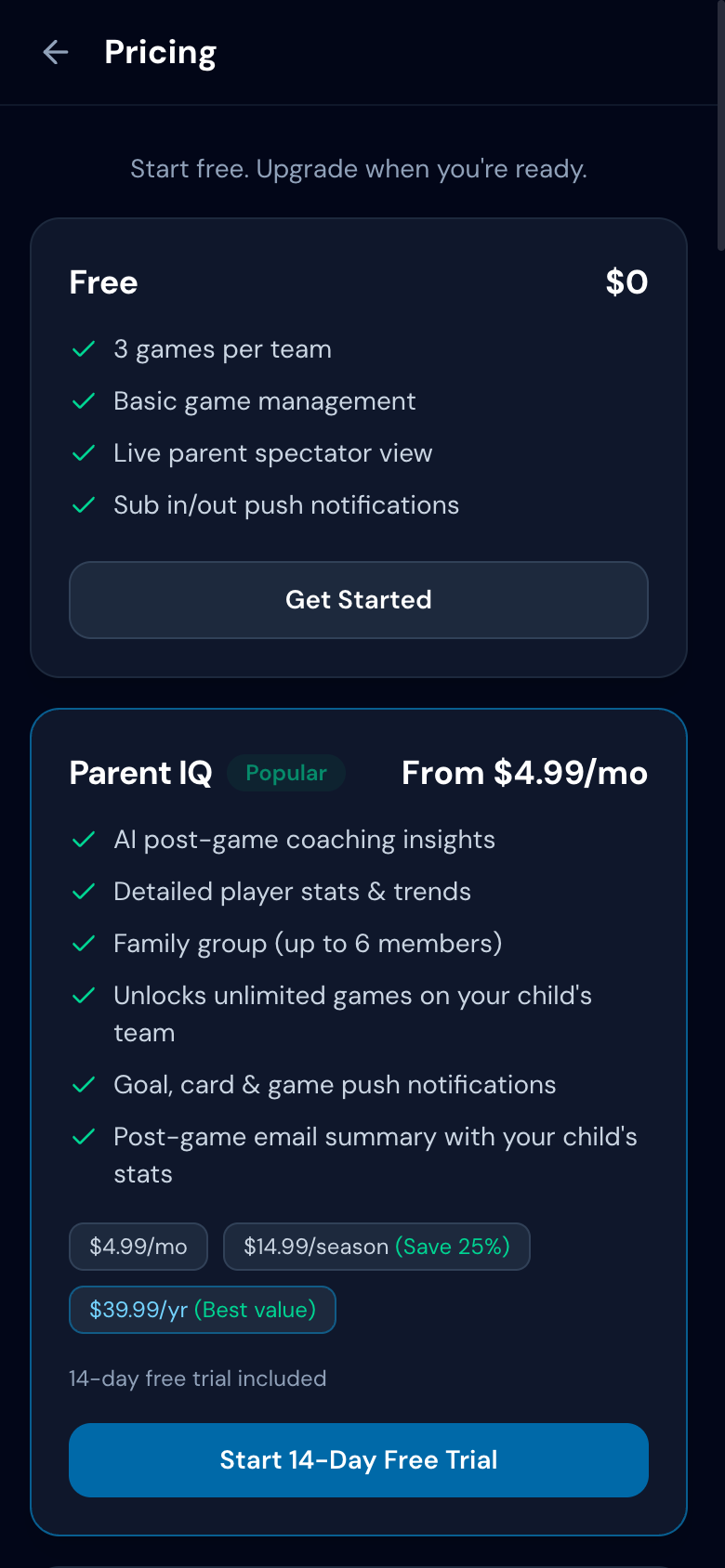
Free Tier — For Coaches
Every coach gets full access to the core game management features at no cost:
- +Up to 3 games per team — enough to try everything before committing
- +Game clock, substitution tracking, and event logging
- +Lineup builder with 35+ formations
- +Live spectator link for parents
The free tier gives you full access to every core feature for your first 3 games — no credit card required. After that, a Coach IQ or Parent IQ subscription unlocks unlimited games and premium features.
Parent IQ — $4.99/month
Parents who want more than the free spectator view can upgrade to Parent IQ. One subscription covers up to 5 children across any number of teams — no need to pay per kid. This unlocks personalized features for every claimed player:
- +Push notifications for goals, subs, and cards
- +Full AI analysis history with per-player insights
- +Season-long playing time and performance trends
- +Family group — share with up to 5 family members
Also available as a seasonal pass or yearly subscription at a discount. See the pricing page for current rates.
Coach IQ — Free With a Paying Parent
Here's the best part: coaches don't have to pay for premium features themselves. When at least one parent on a team has an active Parent IQ subscription, the coach automatically gets Coach IQ unlocked for that team — at no cost. This includes:
- +Unlimited games and AI post-game analysis
- +Season trend reports and tactical recommendations
- +Compliance and performance report exports
Coaches can also subscribe directly at $9.99/month if no parents on the team have upgraded yet.
Family Groups
One Parent IQ subscription covers the whole family. The subscriber can invite up to 5 family members — grandparents, co-parents, aunts, uncles — who all get the same premium spectator experience.
- 1.Subscribe to Parent IQ
- 2.Go to Settings and tap "Family Group"
- 3.Invite family members by email or share an invite link
- 4.They sign in and instantly get full Parent IQ access
Managing Your Subscription
All billing is handled through Stripe. You can upgrade, downgrade, or cancel at any time from the billing page in your account settings. Cancellations take effect at the end of the current billing period — you keep access until then. No contracts, no hidden fees.
Try MatchdayIQ free — upgrade anytime